
Ever pulled up three separate reports just to answer one question about last week’s orders? Every PrestaShop admin goes through this: open Orders, filter by date, cross-check Stats, then repeat it for revenue. It takes the first twenty minutes of the day before any real work starts.
PrestaShop Smart Store Analytics changes that sequence into a single typed question. Instead of navigating between report pages, an admin asks about orders, revenue, or fulfillment status directly and gets a plain-language answer pulled from live data. A smart store analytics tool for PrestaShop handles this by connecting an AI provider to the actual database.
This isn’t a new dashboard to learn. It’s a different relationship with the data that already exists in the store. The reporting doesn’t change; the distance between the question and the answer does.
How PrestaShop Smart Store Analytics Replaces the Morning Report Routine
The problem was never that PrestaShop lacks data. Orders, statuses, totals, and shipping details all sit inside dozens of tables an admin never opens directly. The real problem is the number of clicks standing between a question and its answer.
A natural language query changes that math. Type “how many orders shipped late this week” and the system builds the underlying query, runs it against read-only database views, and returns a number in seconds. No spreadsheet export and no report is waiting to render.
That matters most for order status tracking, where delays compound. A late shipment noticed on day three is a minor fix. The same delay noticed on day seven is a support ticket and a refund request.
Most admins don’t check order status daily because checking is tedious, not because they don’t care. Remove the repetitiveness and the checking happens automatically, as part of the ten minutes before coffee rather than a scheduled Friday task.
Order Fulfillment Data Without the Extra Navigation
Fulfillment questions are usually the messiest to answer manually, because the information spans several sections. Which orders are still awaiting shipment. Which have a mismatched address. Which carrier is running behind this week.
Order fulfillment data becomes far more usable when it’s queryable directly rather than assembled by hand. Asking “which orders have been pending shipment for more than three days” fetches the exact list in one step, instead of manually cross-referencing order status against date created. The admin gets the list, not the process of building it.
This is where a lot of standard PrestaShop reporting falls short. The Stats section is built for trends over time, not for a specific operational question asked right now. Order data needs both, and most stores only have the first one easily accessible.
PrestaShop Back Office Analytics: Turning Live Store Data into Actionable Insights
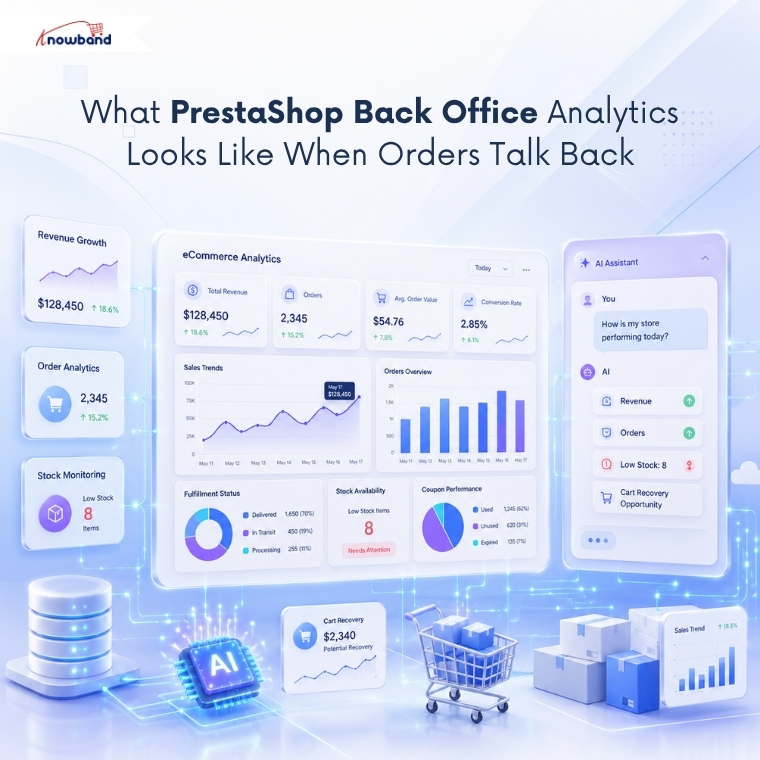
PrestaShop back office analytics means asking a question about store performance and getting an answer sourced from the live database, not a cached dashboard. It covers order totals, fulfillment data, stock levels, and coupon usage, answered in plain language instead of through manual report navigation.
Cart abandonment sits near 70% across most online stores, by widely cited industry benchmarks, which makes recovering that context quickly worth more than a quarterly report ever will. Knowing the count is useful. Knowing the recoverable revenue behind that count, in one go, is what actually changes a decision.
Stock availability works the same way. A merchant running a promotion needs to know, in real time, whether the featured products can actually support the traffic the promotion will generate. Checking that manually across a large catalogue, category by category, isn’t realistic before a launch.
Real-time revenue tracking closes the loop. Instead of waiting for an end-of-day total, an admin can ask mid-afternoon and adjust ad spend, extend a coupon, or hold back a promotion, based on numbers fetched from the live order table rather than yesterday’s report.
Don’t know where to begin? Most admins start with these six standard questions every morning: what today’s orders, 30-day revenue, cart abandonment rate, low stock products, active coupons, and new sign-ups. In our PrestaShop admin ask AI module tutorial, all of those questions are listed with their examples, so you can take them as they are. ( Updated September 29, 2026)
PrestaShop Order Data: Manual Reporting vs. Natural-Language Queries
| Task | Manual Steps | Natural-Language Query |
| Check today’s revenue | Open Stats > set date range > wait for load | Ask directly, get an instant number |
| Find orders shipped late | Filter Orders by status and date manually | Ask, get a list in seconds |
| Check abandoned cart value | Cross-reference carts and orders by hand | Ask, get count and value together |
| Spot low-stock bestsellers | Open Catalog > sort by stock > cross-check sales | Ask, get the list ranked by relevance |
It’s SQL-free reporting in practice, even though a full query runs behind the scenes. The SQL exists; the admin just never has to write it or find it.
Ensuring Secure and Controlled Access to Order Data
Giving more people access to order data raises an obvious concern: who can see what, and can anyone accidentally change something while looking. Read-only database views solve half of that by design, since the AI can retrieve information but has no path to update, delete, or insert anything.
Role-based access solves the other half. Not every staff member needs the same visibility into revenue or customer data, and a logistics coordinator asking about shipping status doesn’t need the same access as someone reviewing sales figures. Restricting the assistant to specific back-office profiles keeps that boundary intact without extra spreadsheets or permission workarounds.
An audit trail matters just as much once multiple people are asking questions daily. Knowing who asked what, and when, turns a shared tool into something a store can actually rely on for accountability, not just convenience.
How Knowband’s Smart AI Admin Assistant Delivers PrestaShop Smart Store Analytics
The PrestaShop Smart AI Admin Assistant is built specifically for this problem. It stays inside the back office as a chat panel, connects to OpenAI ChatGPT, Anthropic Claude, or Google Gemini using your own API key, and answers questions from live order, customer, and stock data through read-only views.
It shows the exact SQL behind every answer when the transparency toggle is on, so nothing feels like a black box. Predefined chips cover the questions admins ask every morning: today’s orders, thirty-day revenue, abandoned carts, low stock. Query History keeps a record of who asked what, which matters for a PrestaShop AI Sales Analytics Addon once several staff members share back-office access.
Access control sits on its own tab, so a store can open the assistant to specific roles, logistics, sales, and translation, without handing every employee the same level of visibility. None of this requires a developer to configure past the initial setup.
Getting Started with PrestaShop Smart Store Analytics
Order data doesn’t need a dedicated reporting session to be useful. PrestaShop Smart Store Analytics turns that data into a conversation, answered from the live database in seconds rather than minutes. The shift isn’t about replacing the Stats section entirely; it’s about closing the gap for every question that doesn’t fit neatly into a pre-built report.
Merchants evaluating a PrestaShop AI Sales Analytics Addon should look for read-only access, multi-provider support, and a full query history, all of which the Knowband module linked above provides. Start with the default predefined chips, get comfortable with the daily questions, then expand into fulfillment and stock queries as the routine settles in.


