
A growing catalogue can put an API sync under real strain. Large jobs may slow down, time out, or stop early. To manage PrestaShop API rate limits, split the work into small pages. Fetch only the fields you need. Limit the number of calls made at once. Also, save progress so a failed job can restart from the right place.
There is no request rate that works for every store. Your safe rate depends on your server, database, modules, hosting plan, and network setup. Test your own system instead of copying a fixed number from another project.
1.0 What Are API Rate Limits?
A rate limit sets how many API calls a client can make within a set time. A gateway may count calls per second, minute, or hour. If the client sends too many, the service may delay or reject new calls.
In practice, PrestaShop API rate limits may come from the PrestaShop store or another layer in its hosting stack.
Request size is a separate issue. One call may ask for a very large set of data. That call can use a lot of memory, database time, and bandwidth.
The fix depends on the problem:
- Calls arriving too fast require a lower rate and less parallel work.
- For oversized responses, use pages, filters, and fewer fields.
- When both problems occur, use both sets of controls.
2.0 PrestaShop API Rate Limits: Is There a Fixed Limit?
PrestaShop does not publish one Web service rate limit for every store. Do not treat a random requests-per-second value as an official PrestaShop rule.
The limit may come from another part of your setup. Apache, Nginx, a proxy, a firewall, or a host may block heavy traffic. A CDN, gateway, custom module, or client app may also set a rule.
Check the HTTP status, body, and headers. Then review logs from PrestaShop, the server, and any gateway. Sync logs should record the time, route, status, and response time.
Look for patterns. Perhaps the error appears only when several workers run. Large responses may be the trigger instead. In other cases, failures start after a set number of calls. A timeout or HTTP 500 error does not prove that rate limiting caused the failure.
3.0 Why Large PrestaShop API Requests Cause Problems
A large list can force the database to run a costly query. PHP needs memory to build the response. The server must then send a large XML or JSON file.
A failed large request is hard to recover. The client may need to download the whole list again, which adds more load.
Several large requests may also compete with shoppers. PrestaShop’s performance guide shows that speed depends on the full system. Caching, database design, server settings, and modules all matter.
Do not aim for the largest request your server can handle once. Choose a smaller unit that works well every time. It should also be easy to retry.
4.0 How to Handle Large API Requests in PrestaShop Store
4.1 Split lists into pages
Pagination loads a long list in smaller parts. A sync reads one group, processes it, and then fetches the next. If it fails, it restarts from its last saved point.
This method makes PrestaShop API rate limits easier to handle because each unit of work stays small.
PrestaShop 9 Webservice supports a limit value in the form [offset,]limit. Its offset starts at zero. According to the official guide, this option can be used for pagination.
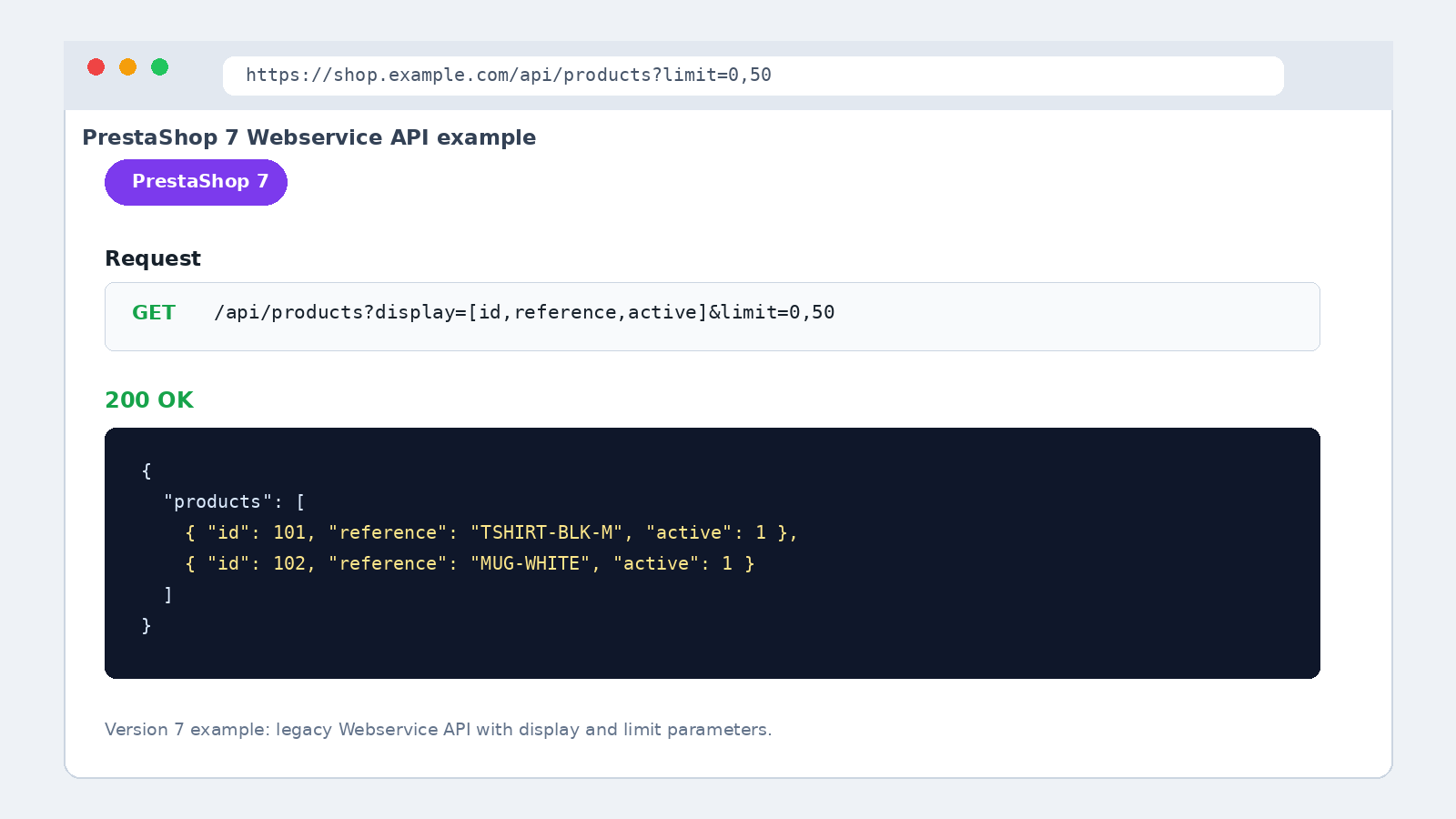
Figure 2. PrestaShop 7 Webservice pagination and field-selection example.
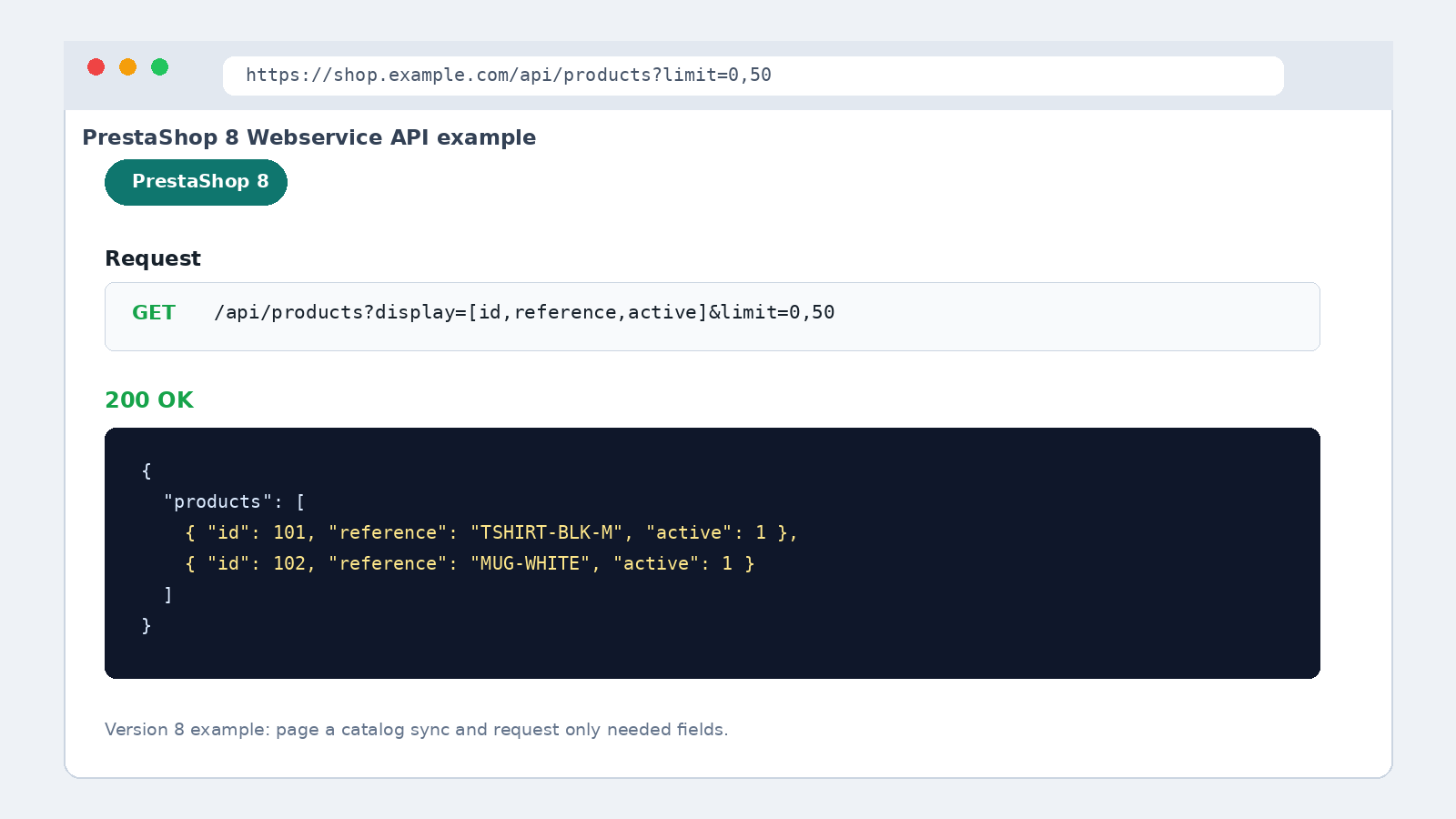
Figure 3. PrestaShop 8 Web service pagination and field-selection example.
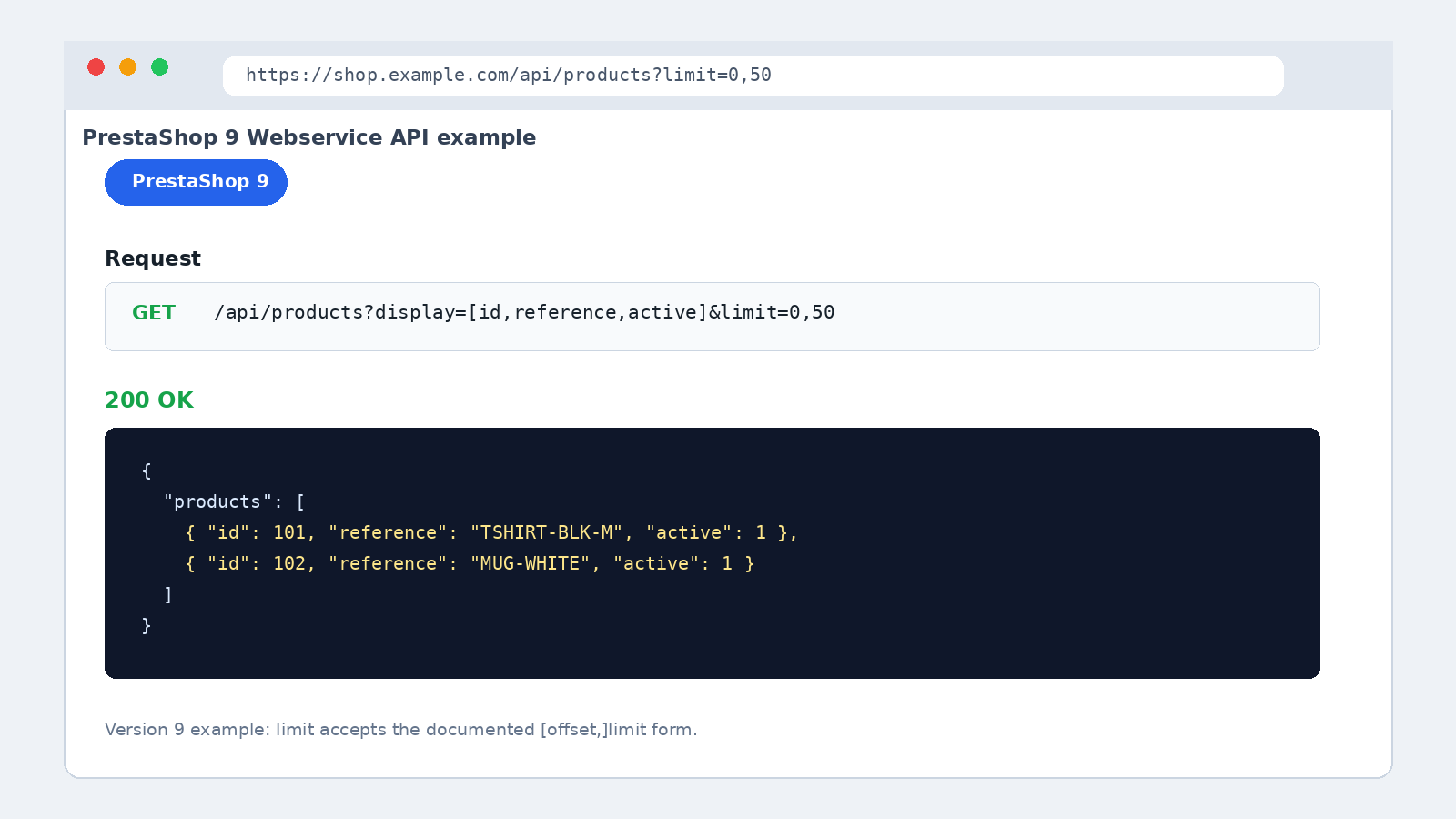
Figure 4. PrestaShop 9 Web service pagination and field-selection example.
Choose a page size through testing. Shared hosting may need smaller pages than a dedicated server. Complex product data may also need smaller pages.
Keep the sort order stable because records can change during a long sync. A trusted change date or saved ID may support safer updates. Check which filters and sort fields your PrestaShop version supports.
4.2 Ask for fewer fields
The Webservice display option can return selected fields instead of every field. Use it when the job needs only a few values. A stock sync, for example, may not need full descriptions and other product details.
Smaller responses load faster and use less memory. Test complex product data on a staging store first.
4.3 Sync only what changed
A full import makes sense during setup or an occasional check. Most daily jobs should avoid reading the full catalog again.
Where the resource allows it, fetch only new or changed records. Save the next checkpoint after you have stored the current page. If the job stops, it can then resume without skipping data.
Remove duplicate calls. Cache stable data, such as country lists, for a suitable time. Give every cache a clear expiry or refresh rule.
5. How to Handle an HTTP 429 Error
HTTP 429 means the service thinks a client sent too many calls in a set time. RFC 6585 defines this status. The response may include Retry-After, which tells the client when to try again.

Figure 1. Example HTTP 429 response with Retry-After and rate-limit headers.
When investigating PrestaShop API rate limits, treat a 429 as a clue. It does not prove that PrestaShop core set the rule.
When your integration gets a 429 response:
- Log the route, time, job ID, status, and useful headers.
- Follow Retry-After when the value is present and valid.
- Pause the affected task instead of trying again at once.
- Lower the call rate or number of workers if the error returns.
- Alert the team when the job uses all allowed retries.
Do not assume that PrestaShop core sent the 429 response. A proxy, gateway, firewall, host, or third-party API may have sent it. Find that source before you change the client.
6. How Retry Logic and Backoff Work
Some failures are short-lived. A network link may drop, or a busy server may return an error. A retry can help, but an instant retry may add more load.
Backoff adds a wait before the next try. If the call fails again, the client waits longer. A small random delay can stop many workers from waking up together. This method is a general API practice, not a rule built into PrestaShop.
Every retry process needs a limit. Set a maximum number of tries and a maximum wait. Retry only errors that may clear on their own. Bad login details, missing rights, and invalid data need a fix, not more calls.
Take extra care with write requests. The first call may have changed data even when the client missed the response. A blind retry could then create a duplicate or replace a newer value.
7. Best Practices for PrestaShop API Rate Limits and Performance
When tuning PrestaShop API rate limits, use several small controls together:
- Break large lists into pages and save a checkpoint.
- Fetch only the fields and records the job needs.
- Set a limit on parallel workers.
- Use sensible connection and response timeouts.
- Cache slow-changing data and define when it expires.
- Apply limited backoff to short-term failures.
- Record status codes, response times, retries, and page sizes.
- Watch job time, error rate, memory use, server load, and backlog.
- Run heavy full checks outside the store’s busiest hours.
- Test with a realistic amount of data before going live.
These steps match wider advice to paginate large lists, keep responses focused, and monitor API use. However, your store data should guide each setting.
8. Example: A Large Product Catalog Sync
Imagine a job that downloads full details for every product. It starts many workers and saves no progress. One request times out, so the whole job starts again. It then downloads the same unchanged products and puts more load on the store.
A better job uses a tested page size and asks only for needed fields. It stores each page and saves a checkpoint. The next page starts when capacity is available.
After a short-term error, the worker logs it and waits. For a 429 response, it follows valid retry details. Later runs fetch only changed records when supported. A planned full check can catch missed updates.
This design may send fewer calls each second. Yet it often finishes more reliably because the work is steady and easy to resume.
9. Build a More Reliable PrestaShop Integration
Good handling of PrestaShop API rate limits starts with evidence. Find the layer that applies the limit. Then decide whether you have too many calls, too much data, or both.
Use pagination and selected fields to keep each response small. Add change-based syncs, careful caching, and worker limits to reduce traffic. Finally, use logs, monitoring, and limited retries so failures are clear and safe to recover.
Before you scale a sync, review the Webservice options for your PrestaShop version. Test the full job with realistic data. In most cases, a small job that can resume is safer than one huge request.
For reliable prestashop solutions, iOS and Android App development, website custom changes and migrations, store owners can reach out to us at [email protected]. Store owners can also reach out to us at our helpdesk.

