
Introduction
A speedy PrestaShop shop cannot be defined by its ability to have a high Lighthouse score. Performance is all about how soon the user can access the important content, interact with products and the check-out form fields, and navigate through the page without unwanted movements.
This is where PrestaShop Core Web Vitals Optimization comes into play.
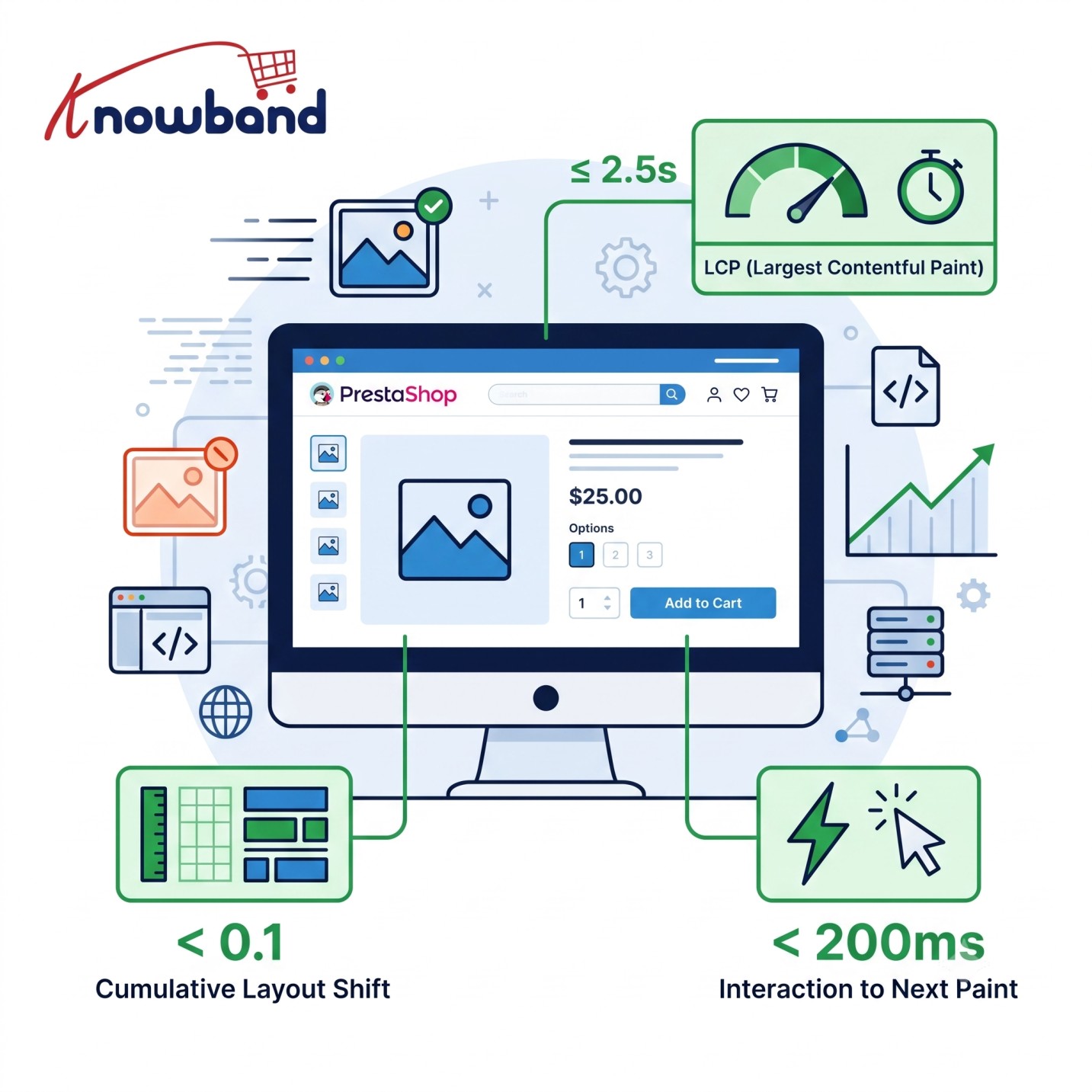
Core Web Vitals focus on three aspects of real-world page experience: loading performance, responsiveness, and visual stability. According to Google’s recommendations, an ideal loading time should be less than 2.5 seconds, interactive time should be under 200 milliseconds, and CLS time should be below 0.1.
However, when it comes to PrestaShop stores, reaching these standards is not that easy because it does not only involve compressing images and setting up caching.
There are different elements, including the theme used, modules, scripts, product information, and server configuration, that affect the performance of the website and make it hard to meet the standards set by Google.
The article outlines the process of optimizing Core Web Vitals for PrestaShop.
What Are Core Web Vitals?
Core Web Vitals are Google’s metrics created to measure how effective a design is from the perspective of user experience.
The three current metrics are
Largest Contentful Paint (LCP): Measures loading performance.
Good target: ≤ 2.5 seconds.
Interaction to Next Paint (INP): Measures interaction responsiveness.
Good target: < 200 milliseconds.
Cumulative Layout Shift (CLS): Measures visual stability.
Good target: < 0.1.
These metrics should not be treated as isolated SEO numbers. They describe actual aspects of how users experience a page. Good Core Web Vitals do not guarantee top search rankings; page experience is broader than these three metrics.
For an eCommerce store, this distinction matters. A homepage may load quickly while product pages remain slow. A product page may display quickly but become unresponsive when customers change combinations. A page can also appear fast but shift dramatically when a promotional banner or review widget loads.
Why PrestaShop Stores Commonly Develop Performance Problems
PrestaShop itself is rarely the only reason a store becomes slow. The actual bottleneck is often the combination of the platform, theme, modules, server, database, assets, and third-party services.
The typical reasons for slow website performance are:
- Large-sized banners and product images
- Excessive use of JavaScript
- Modules load the assets across the site.
- Having too many marketing analytics scripts
- Heavy theme functions
- CSS causes blocking of rendering.
- Cache is badly configured.
- Slow PHP processing
- Costly requests to the database
- External requests to APIs
- Poor quality of hosting
- Too many DOM elements
- Lazy loading is done improperly.
- Content gets added dynamically with performance optimization.
In order to make it work, performance optimization has to be carried out by measuring and identifying the problems, making the necessary changes, and testing and measuring again before moving on with the next step.
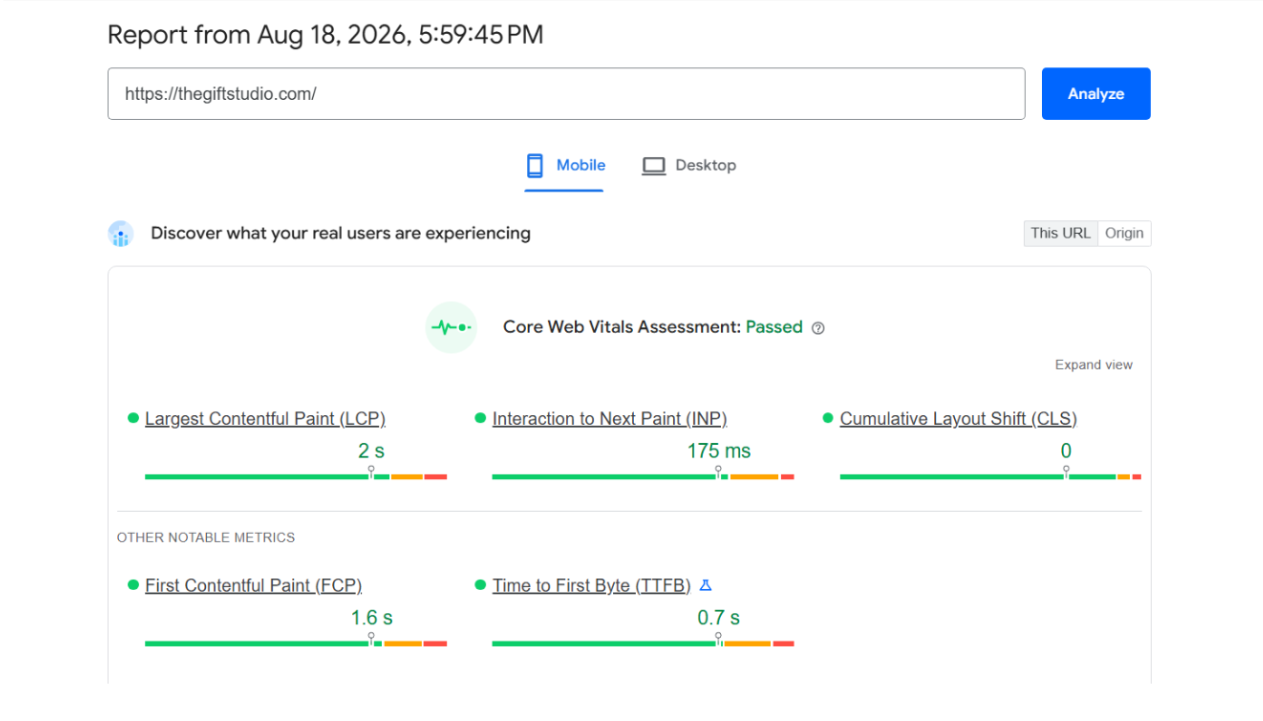
How to Improve Core Web Vitals in PrestaShop
The first step towards improving Core Web Vitals in PrestaShop is to test out representative pages.
This should definitely include:
- Homepage
- Category page
- Product page
- Search page
- Cart
- Checkout
- Essential landing pages
The performance of product pages can be different than the homepage. For example, the hero banner can be the LCP element on the homepage, while its place on the product page can be taken by the main image of the product, while a faceted category page could be overloaded with JavaScript and DOM usage.
In order to accurately track the process, use the following tools: Google PageSpeed Insights, Lighthouse, Chrome DevTools, Google Search Console, and user monitoring tools.
Don’t forget that relying solely on one Lighthouse session is not enough. The test results can change due to a device, network, cache, etc.
How to Improve LCP on PrestaShop
Largest Contentful Paint (LCP) is a measure of the moment when the primary relevant content element appears on a screen.
On PrestaShop, the LCP element is usually the most important product picture, the homepage hero image, the category banner, or the large heading/content block. It is crucial not to assume what exactly the LCP element is; you need to find it through using performance-testing tools.
Find the Actual LCP Element
Should a product page generate an LCP score of 4.2 seconds, one could be tempted to ask immediately, “What is the best way to optimize the image?” However, one should first verify that the LCP component refers to the product image. In addition to this, one should also consider the following:
- The timing of the arrival of HTML.
- The point in time at which the browser identifies the image.
- Whether or not CSS blocks are being rendered.
- The size of the image.
- The speed at which the image gets downloaded.
- The effect of JavaScript on the rendering process.
- The speed of server response.
This would be much more advantageous than just using a common compression technique.
Optimize the LCP Image
In cases where the LCP element is the main product image, ensure that the browser does not download an excessively larger asset than it needs to.
In order to accomplish that:
- Images should be sized adequately.
- Use responsive image delivery methods.
- Images should be compressed efficiently.
- Use WebP or AVIF if possible.
- Choose the right image quality.
- Generate thumbnails properly.
Displaying product images that measure 700 × 700 pixels in as many pixels as needed will make sure there are no unnecessary downloads of massive images.
Ideally, lazily loading images can be done for images appearing below the fold on the product page.
Be Selective With Preload
The preloading of an actual pivotal image can assist the browser in discovering it beforehand. Nonetheless, the application of preload instructions for several images, fonts, CSS files, and scripts may lead to the contrary result as they contend against the bandwidth.
Preload merely resources that are genuinely of great significance to the initial rendering; similarly, fetchpriority=”high” ought to be used selectively, not indiscriminately.
Reduce Server Response Time
In order to display some useful content, a browser must first obtain the corresponding response.
There are several reasons that may create delays in response time, including:
– Issues with PHP execution time
– Costly database queries
– Lack of server capacity
– Ineffective caching
– Efficiency of module processing
– Use of outside APIs
– High amount of backend work that is done to generate a page
Therefore, the need to decrease response time is correlated with LCP optimization.
How to Reduce CLS in PrestaShop
Cumulative Layout Shift (CLS) measures unexpected movement of content during page loading.
A typical example is a promotional banner that loads after the product information has already appeared and is inserted above it. Everything below moves down, which can create a poor experience.
PrestaShop Common Causes Are As Follows:
- Images without pre-reserved dimensions.
- Product galleries.
- Sliders.
- Banners.
- Cookies banner.
- Newsletters.
- Reviews.
- Recommendations dynamically loaded.
- Web fonts.
- AJAX content.
- Third-party widgets.
Reserve Space for Images
Images should have known dimensions or be contained in a suitable aspect-ratio container. For example:
<img src="/img/product/example.webp" width="800" height="800" alt="Product name">
The specific way in which it is implemented will vary according to the PrestaShop theme and the responsive image system, but the basic principle remains the same; the browser must know how much space the image needs before the image has finished downloading.
Stabilize Dynamic Modules
If the module inserts content dynamically, think whether a placeholder could be created before the content arrives.
Rather than allowing a review widget to push the product description down in a dramatic way, make sure to keep a place for it or place the widget in a way so that the process of loading will not interfere with important content.
The aim of eliminating CLS is not to prevent every visual change, It is to stop unforeseeable shifts that negatively affect a user’s work.
How to Improve INP
The INP function is especially significant when dealing with eCommerce web pages. Users have to choose product options, modify quantity, view images, apply filters, search products, add items to the basket, open drop-downs, use vouchers, and alter delivery options.
When JavaScript monopolizes the user’s browser, such operations may be slow.
Why INP Can Be Difficult on PrestaShop
A typical PrestaShop store may contain JavaScript from theme functionality, product modules, search modules, analytics, tag managers, review systems, chat applications, personalisation tools, consent platforms, and payment integrations.
Each individual script might appear harmless. The combined execution cost can become significant.
Use Chrome DevTools for Performance and Coverage investigation to find long tasks, unused JavaScript code, event listeners, expensive script executions, and reflow/repaints due to DOM manipulations.
Reduce Unnecessary JavaScript
When you minify JavaScript, the file size shrinks, however, it doesn’t mean that there won’t be heavy processing at run-time.
A click handler can still cause the browser to slow down even if the JS files are minified and they are very small in size.
If possible, one must strive to eliminate unnecessary code, introduce features solely if essential, minimize lengthy operations, and re-evaluate code written by third parties.
Load Functionality Only Where Required
A practical way to optimize PrestaShop would be to avoid loading module assets in pages where such functionality is not required.
For instance, a module that handles the product gallery should not need to load all of its JavaScript bundle in CMS pages where there is no use of this feature.
How to Optimize Images for Better Performance
Imagery is necessary for eCommerce, yet images are common contributors to page weight.
Use appropriate dimensions, efficient formats such as WebP or AVIF where supported, appropriate compression, responsive image delivery, and lazy loading for below-the-fold images.
The goal is not simply smaller images. The goal is the right image, at the right dimensions, delivered at the right time.
How to Fix Render-Blocking Resources
CSS and JavaScript can delay the browser’s ability to render the page. A PrestaShop store can accumulate assets from theme files, core functionality, modules, custom development, and third-party integrations.
Look at the Network tab on Chrome DevTools to find large CSS and JavaScript files, redundant libraries, module assets loaded globally, third-party scripts, fonts, and blocking requests.
Find the styles needed by the first viewport and remove unneeded CSS, defer non-essential functionalities, and avoid loading unused module CSS globally.
Do not combine all stylesheets blindly. There can be some dependencies in the PrestaShop theme and modules, which could be dangerous for aggressive asset handling.
PrestaShop Modules: The Hidden Performance Cost
Modules can add PHP processing, database queries, CSS, JavaScript, AJAX calls, external requests, HTML, and tracking code.
The practical question is not whether modules are bad. It is whether a module needs to execute on a particular page.
A review module may only need to operate on product pages, while a shipping widget may only be relevant in checkout. If a module loads assets globally, investigate whether its implementation can be adjusted safely.
Caching and PrestaShop Performance
However, it is important to remember that caching can be used to avoid redundant tasks at the server level, but this tool must be understood, not just activated blindly.
Based on the system environment, it is recommended to use PrestaShop caching, application/page caching, opcode caching, HTTP caching, CDN caching, and browser caching.
Dynamic nature of e-commerce operations makes it more difficult to set up caching compared to the static site. Some data such as personal customer content, shopping cart contents, authentication status, pricing information, inventory levels, and personalization can have special caching requirements.
Test the pages after caching them.
How to Reduce Server Response Time
- Create a baseline: collect the details of LCP, INP, CLS, TTFB, weight, request count, JavaScript execution and important resource timings.
- Test representative models: product, category, search, cart, completion and CMS / other landing pages.
- Do identification of problems spots: know if the trouble is related to server response, image delivery, CSS, JavaScript tracks or any services provided by third parties.
- Conduct an audit: locate enlisted modules which function globally, impose JavaScript/CSS, call for external requests or conduct expensive backend operations.
- Improve the system gradually: image passing systems, CSS passing, JavaScript passing, server’s answer, etc.
- Check the functionality: diverse possibilities of the product advanced, any search, cart processes, payment and mobile usage aspects.
- Take measurements and compare it with the initial baseline.
How to Improve Mobile Page Speed
Mobile Performance Is a Topic of Its Own. Mobile devices can feature lower performance processors with an unreliable cell network connection, which makes executing JavaScript and downloading images more crucial.
Pay attention to:
- Compact responsive images
- Minimal JavaScript
- Minimal third-party scripts
- Efficient CSS
- Stable layout
- Fast server response time
- Minimal DOM
- Proper lazy loading
- Light weight navigation
Do not assume that good desktop performance equates to good mobile performance, test it!
A Practical PrestaShop Core Web Vitals Optimization Workflow
- Create a baseline: collect the details of LCP, INP, CLS, TTFB, weight, request count, JavaScript execution and important resource timings.
- Test representative models: product, category, search, cart, completion and CMS / other landing pages.
- Do identification of problems spots: know if the trouble is related to server response, image delivery, CSS, JavaScript tracks or any services provided by third parties.
- Conduct an audit: locate enlisted modules which function globally, impose JavaScript/CSS, call for external requests or conduct expensive backend operations.
- Improve the system gradually: image passing systems, CSS passing, JavaScript passing, server’s answer, etc.
- Check the functionality: diverse possibilities of the product advanced, any search, cart processes, payment and mobile usage aspects.
- Take measurements and compare it with the initial baseline.
Real-World PrestaShop Example: Slow Product Page LCP
Suppose a product page measures an LCP of 4.5 seconds. There is a large product image on the page.
One might conclude that the image is oversized. However, upon investigation, you become aware that the server response takes 1.5 seconds, CSS inhibits rendering, the product image is being used in the size that is too big for the page, the gallery initialization is delayed by an unnecessary JavaScript module, and the image is treated as a lazy-loaded one.
It should be noted that just checking for optimization issues should not be taken as an effective practice to enhance the page speed.
Real-World Example: Poor INP From Multiple Modules
Think about a product page with features such as product variant logic, review tool, chat, analytics, tag management, and suggestion engine.
When a customer clicks on a size, the browser can run the variant handler, update product details, recalculate part of the DOM, initiate analytics, execute another event handler, and update the UI.
However, the best option is not always to remove every module from the process. You ought to analyze the interaction and determine which specific event handler is expensive and what script performs long operations, as well as investigate whether there is a third-party code included, if any unnecessary work is done in the DOM, and whether you can simplify or postpone certain functionalities.
Real-World Example: CLS From a Promotional Banner
Let’s say a retailer places an advertisement banner after loading the product page. As a result, the banner occupies a place above the product’s name, thereby affecting the title, product picture, price, and the Add to Cart button position.
A better idea could be to pre-allocate the space for the banner or to place it in such a way that would not interfere with the first-class content of the page.
Therefore, the answer lies in understanding the factors responsible for the moving of objects, the reasons for moving, and the time when they get there.
Common Core Web Vitals Optimization Mistakes
- Pursuing an ideal PageSpeed score. The aim of the business is to create a better experience for the user and not just achieve a certain score trend.
- Employing numerous optimization modules. Excessive use of multiple optimization and delay solutions can lead to unwanted complications.
- Using lazy loading for all. But it may cause a delay while loading important information.
- Prefetching everything. In case when many things are considered to be important, then the competition will arise for limited bandwidth.
- Optimizations cannot work together with the home page. Those optimizations which are applied to the landing pages cannot be used with categories and products templates.
- Omitting third-party JavaScript. Effective use of analytics and marketing can lead to very high execution costs.
Measuring the Result
Performance optimization should be seen as an ongoing effort. After installing a new module, upgrading to a new theme, deploying a marketing tool, or uploading images of higher resolution, an online shop may experience performance deterioration.
Thus, any significant changes related to the theme, modules, layout, or infrastructure must be perceived as possible causes of performance deterioration.
Core Web Vitals Should Be an Ongoing Process
Performance optimization is not a one-time task. A store can become slower after installing a new module, updating a theme, adding a marketing tool, uploading larger images, adding tracking scripts, changing hosting, modifying product templates, or implementing new functionality.
Every major theme, module, infrastructure, or frontend change should therefore be treated as a potential performance change.
Final Recommendations
Clearing up PrestaShop Core Web Vitals does not come down to the maximum combination of techniques. As far as LCP is concerned, it is necessary to investigate the server, critical assets, images, CSS and resource discovery.
As far as CLS is concerned, the objective is to identify the elements in motion and save the space they require.
Considering INP, it will be necessary to carry out a profiling of actual interactions and set up the required JavaScript and events to work on the main thread.
The overall performance optimization of a website involves auditing modules, third-party scripts, cache, images, database operation, and server resources.
The most effective PrestaShop performance process is
Measure → Diagnose → Optimize → Test → Measure again.
This approach produces sustainable improvements without sacrificing the functionality that makes an eCommerce store useful.
Frequently Asked Questions
What is the best LCP for a PrestaShop site?
As per Google’s recommendations, an LCP score of 2.5 seconds or less is perfect.
How do I improve the LCP of PrestaShop product pages?
To start with, find out what the LCP element is. In case it’s the primary product picture, then try optimizing it with respect to size and loading, making sure that it gets discovered quickly and not lazily loaded.
How can I reduce CLS on PrestaShop?
Identify which elements shift. Common causes include images without reserved dimensions, dynamic banners, pop-ups, sliders, and third-party widgets. Reserve appropriate space before dynamic content is loaded.
How to improve INP?
Real user performance must be examined and costly JavaScript tasks detected. The next step is to eliminate unnecessary JavaScript usage, minimize DOM manipulation, and check third-party tools and modules implemented.
Will enabling caching automatically resolve Core Web Vitals issues?
No, caching makes less processing needed on the server side and improves responsiveness yet does not solve problems related to large images, render-blocking CSS, excessive JavaScript, CLS, and slow behavior.
Does the improvement of the website’s performance require uninstalling every PrestaShop module?
No, because modules are crucial for fulfilling business needs. The goal is to find useless processing, not to uninstall the software without any thinking.
Is a 100 PageSpeed score obligatory?
No, because it is not the aim. The only important thing is to achieve the best user experience.
What should I optimize first?
First measure. Determine the poorest-performing page templates and find out what the major bottleneck is: LCP, INP, CLS, TTFB, images, JavaScript, CSS, modules, or server-side.


